For DBT clinicians and skills trainers
Your DBT practice is no longer scattered across files, spreadsheets and chats
Manage your work with clients and groups in WisemindApp, from materials and homework to messaging, attendance and payment tracking.



50+ DBT skills trainers already use WisemindApp
Managing your practice takes time before the session even starts
Materials, notes, attendance, payments and messages are in different places. Keeping everything organized becomes a job in itself.
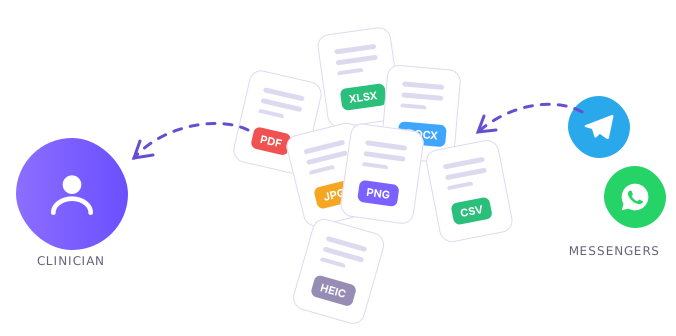
🤯 Different formats
One client sends a PDF, another a photo, a third a link. You have to search your messages and open each one separately.
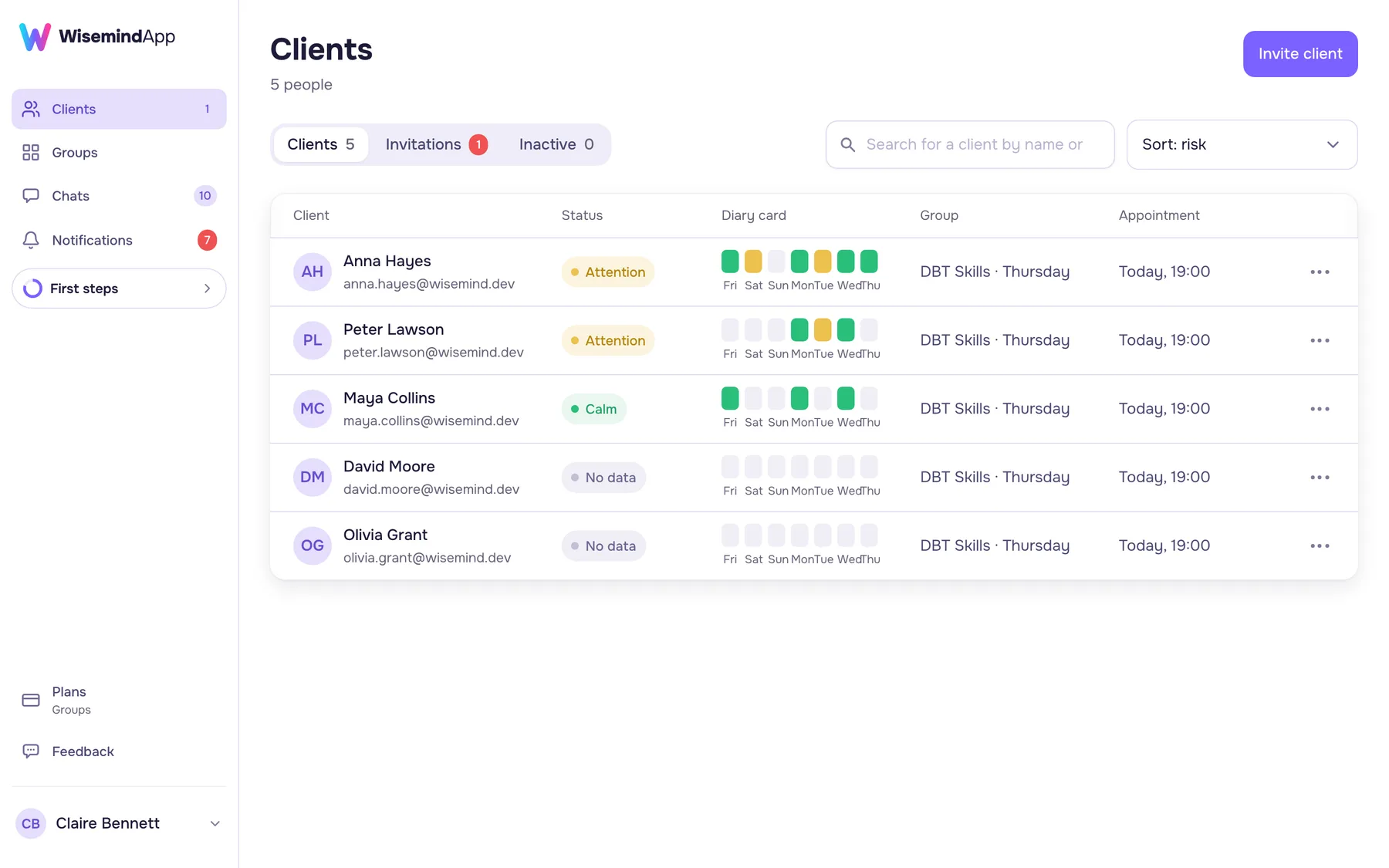
🧐 Hard to spot what matters in a diary card
You have to review the diary card manually to see patterns over time. Changes and areas of concern aren't highlighted.
🤨 Group management across multiple tools
There's no single overview of the group, just documents, spreadsheets and messages. You have to switch between them to check who attended, completed homework or paid.
🫠 Finding a messenger that works for everyone
One messenger is unavailable, and group members don't want to switch to another. You have to find an option everyone can access and is willing to use.
Free for your clients
Invite clients to WisemindApp. They create an account and grant you access to their records. You can then view their diary cards and completed worksheets.
Invite a client
Your client grants access
Work in the same app
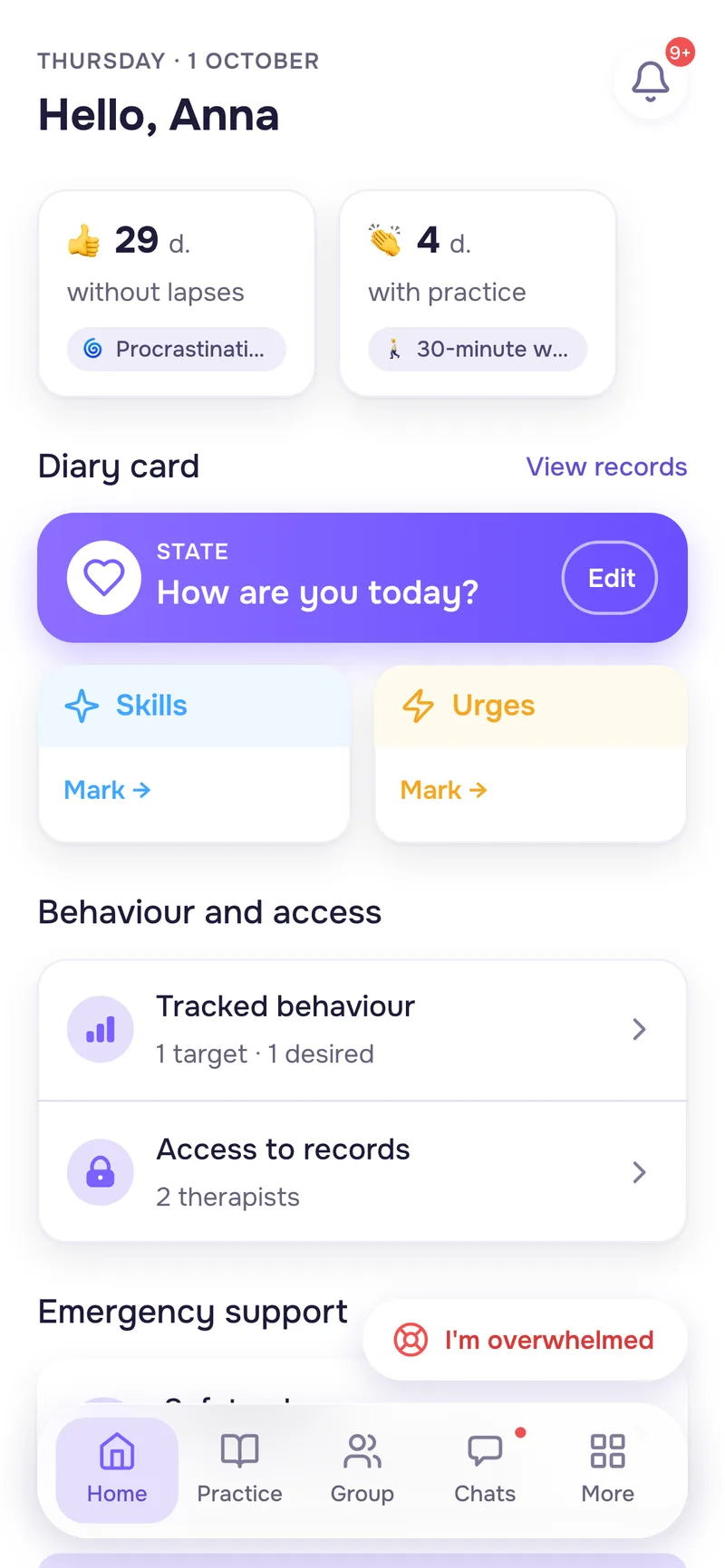
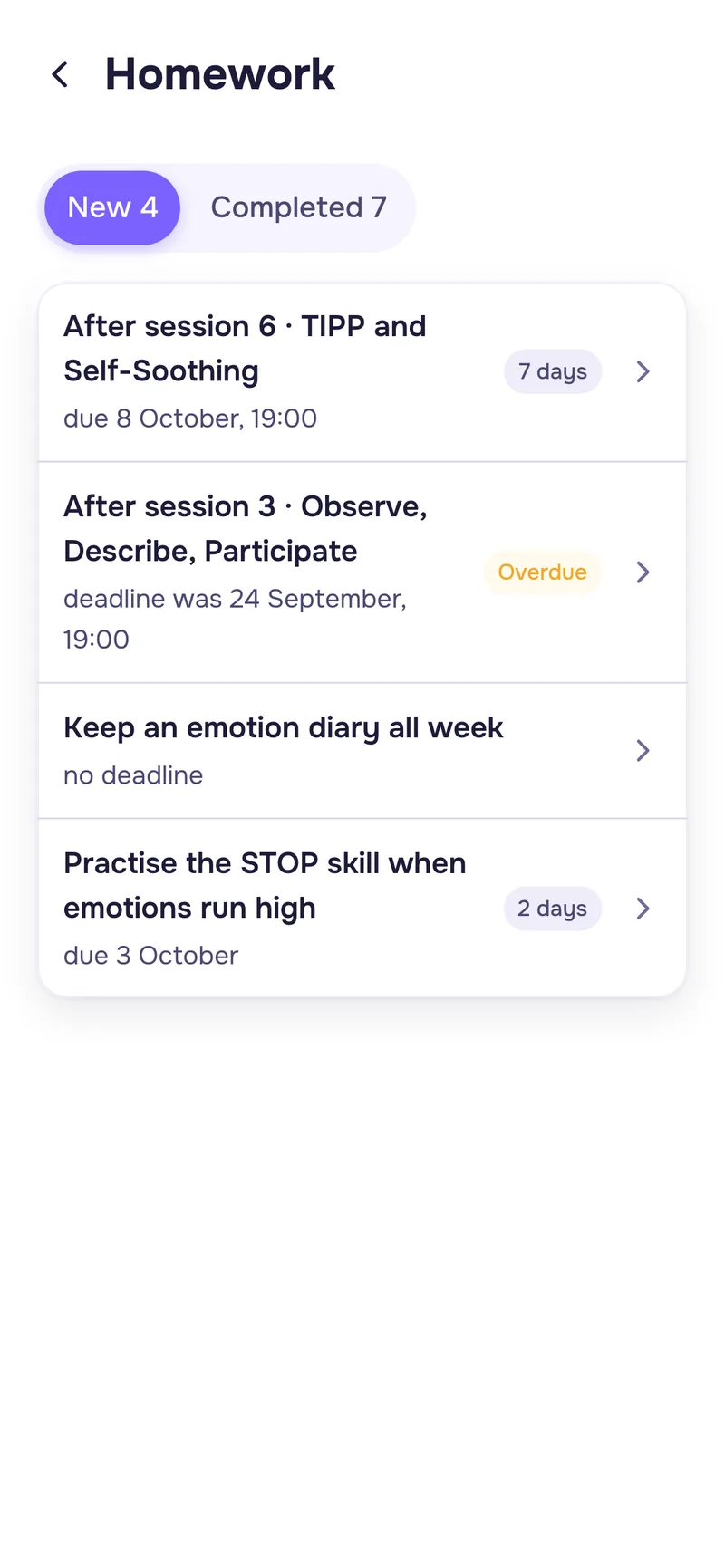
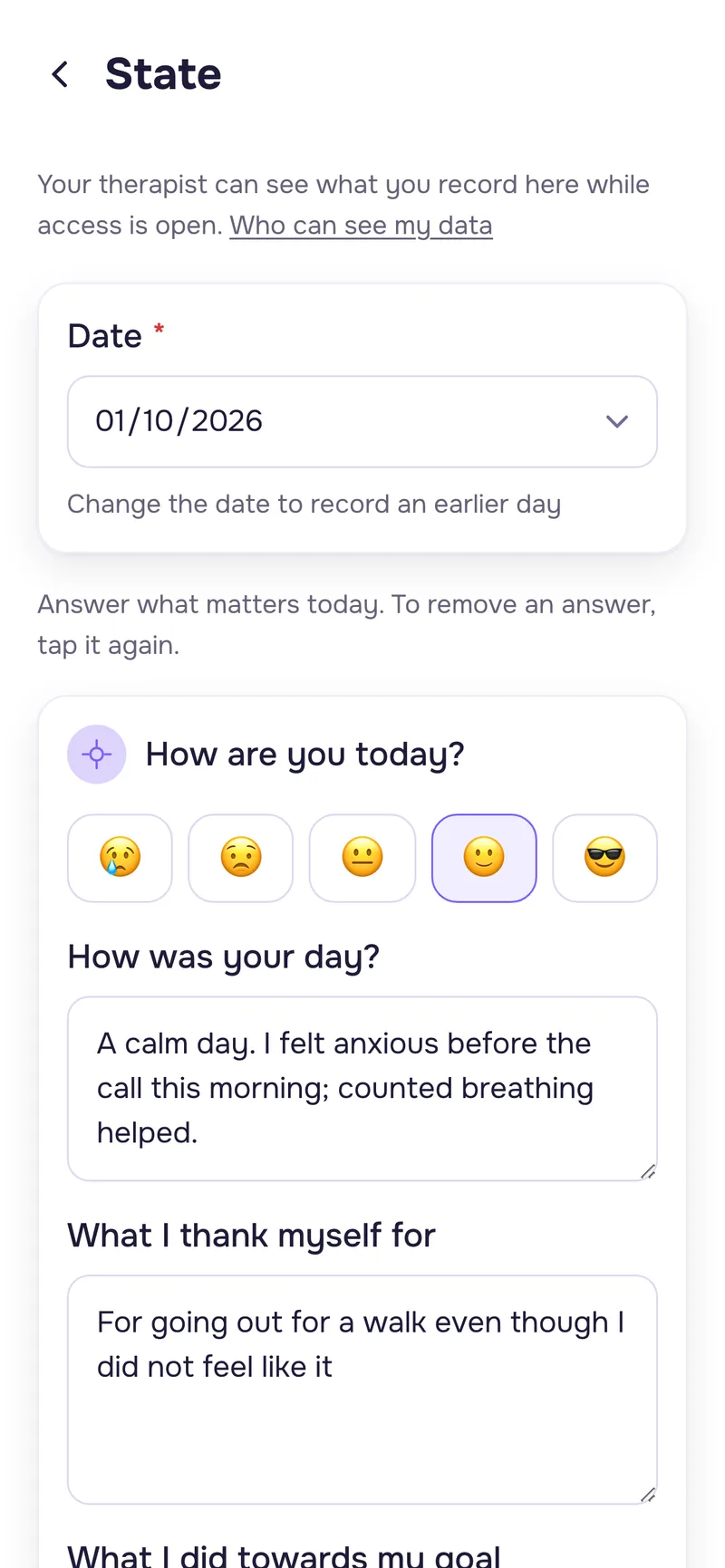
Clients don't need a subscription. The app runs in a browser on phones and computers.
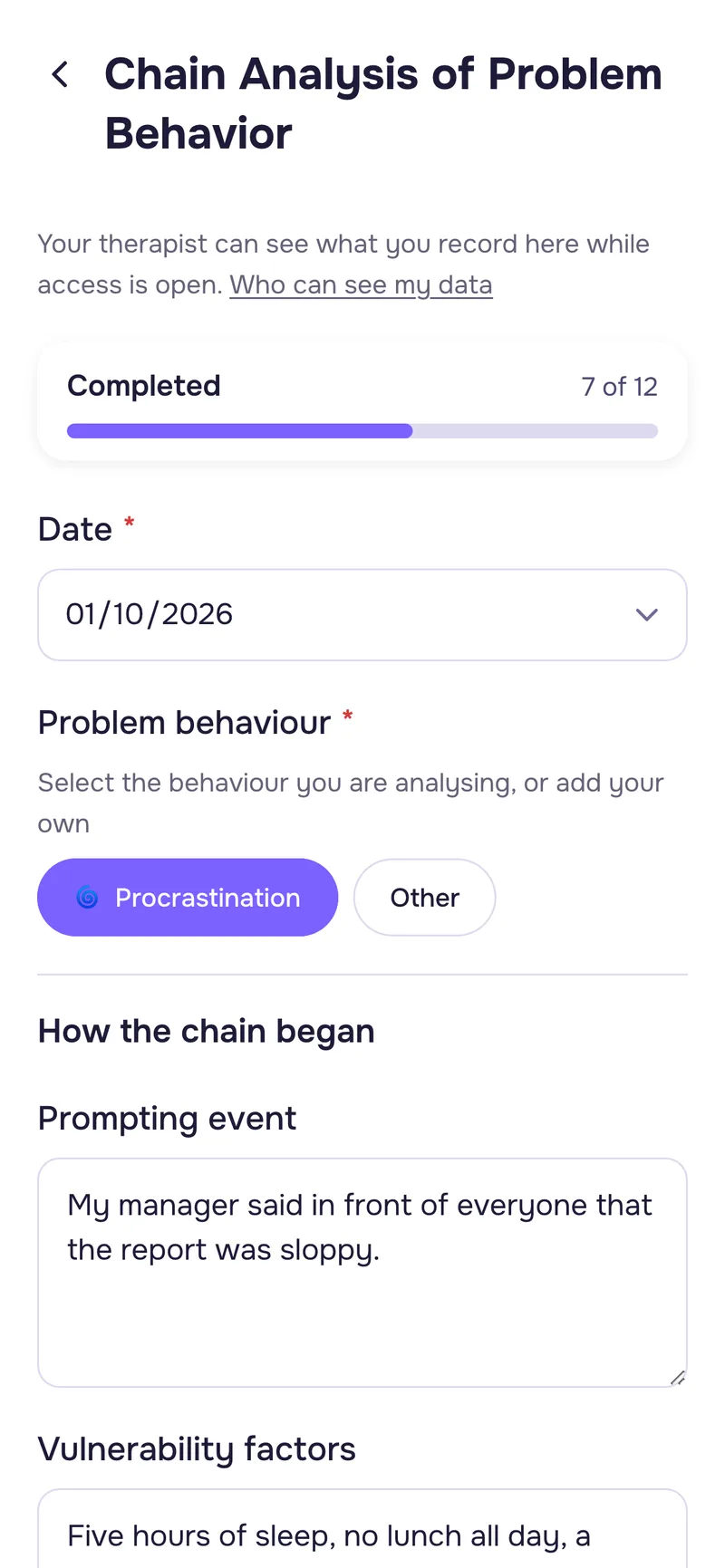
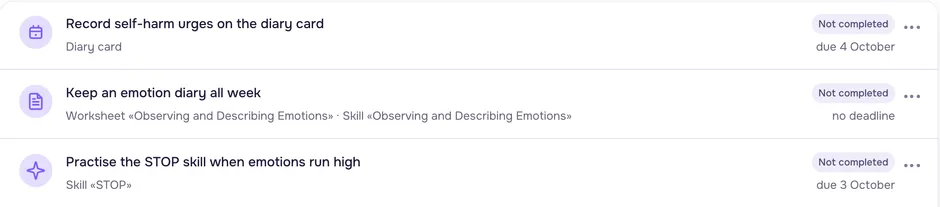

Materials and records in one format
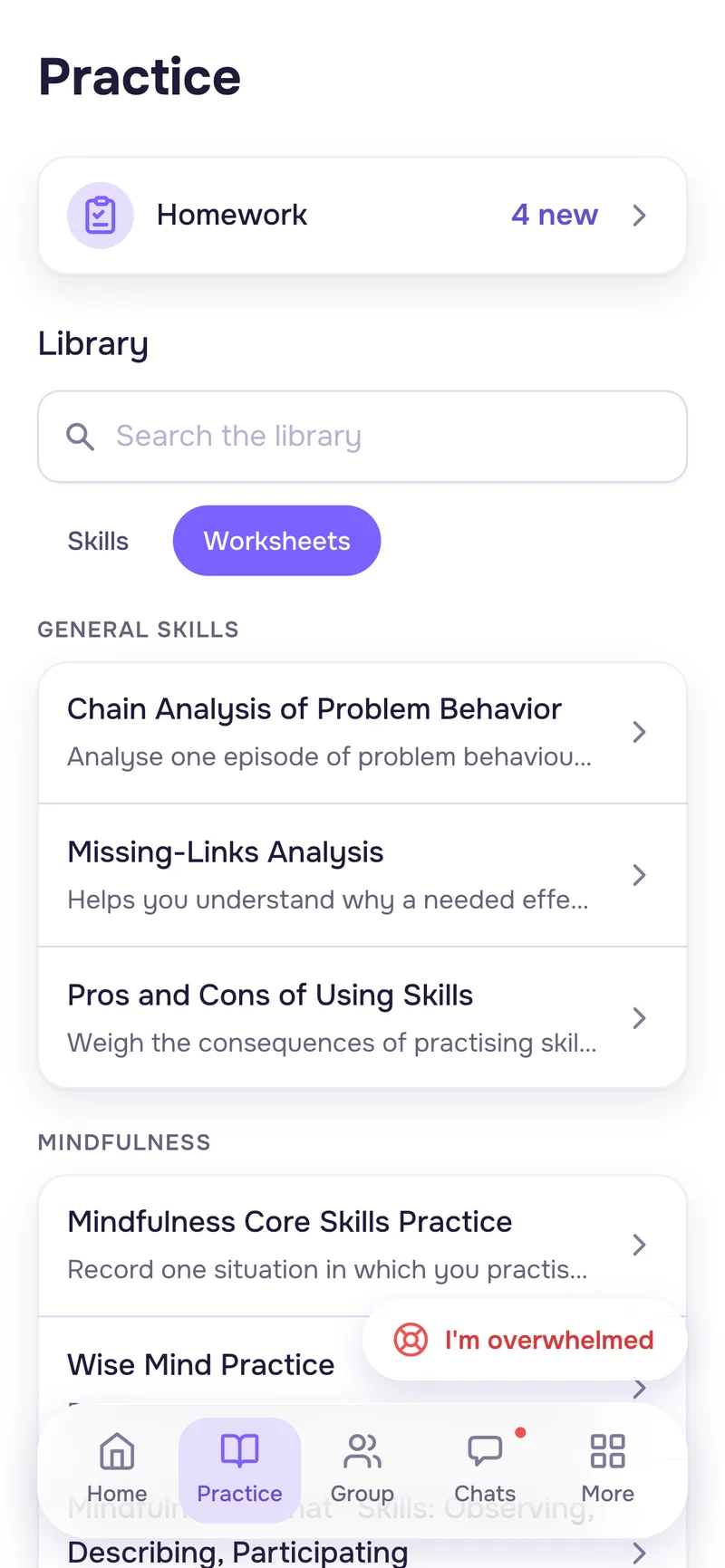
Clients access worksheets in the app. They also fill in their diary cards and complete homework there. Results appear in their profiles, so you don't have to collect photos, PDFs and links from messages.
Materials your clients can access
They open worksheets in WisemindApp.
Homework in the app
Clients fill in interactive forms without sending separate files.
Client results in one place
View completed worksheets and entries in a single interface.
A clear view of the diary card
See how your client is doing over time. Notice changes and explore the details you want to discuss in session.
filled in by the client
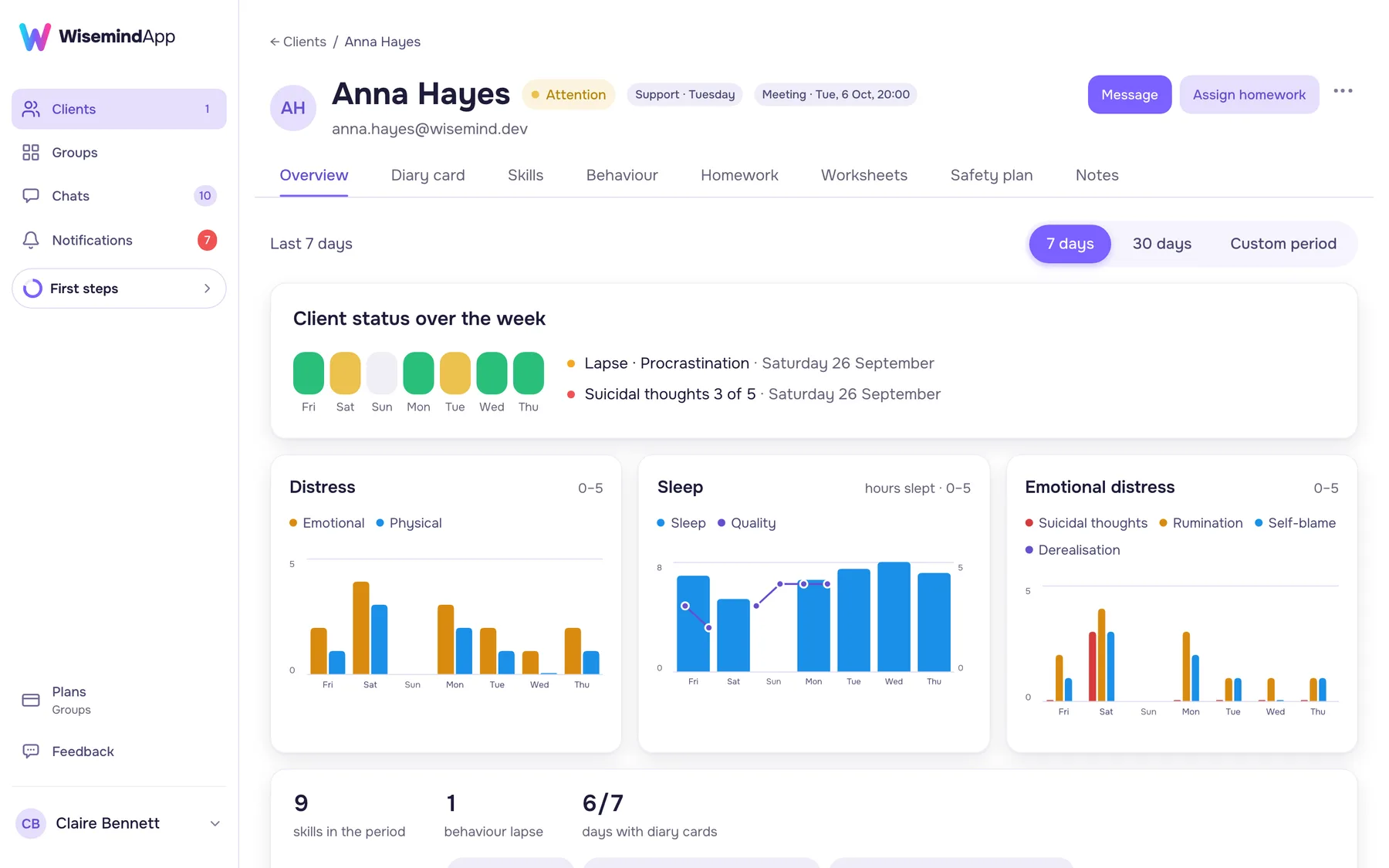
Behaviors and skills
Entries on urges, target behaviors and skills used are available in the client profile.
Day-by-day details
Go from the overview to individual entries.
Everything for running a group in one place
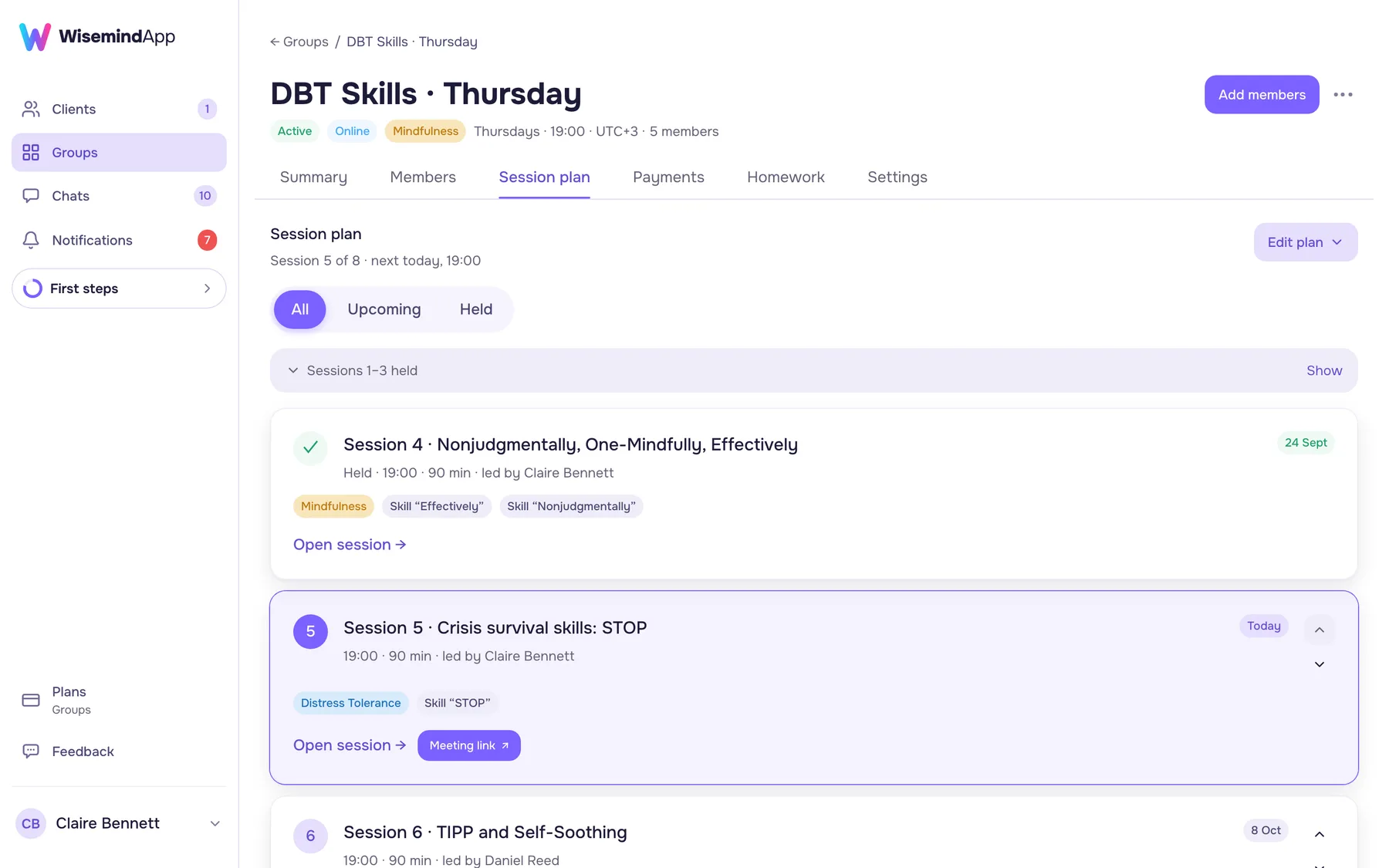
Group session plan
Topics and session order for the full skills training cycle. Build a plan from scratch or edit a template.
Homework
Assign homework to the group or individual members and track completion.
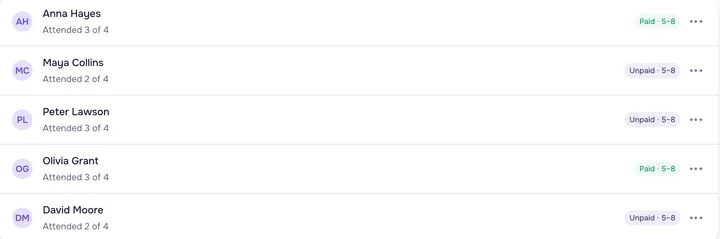
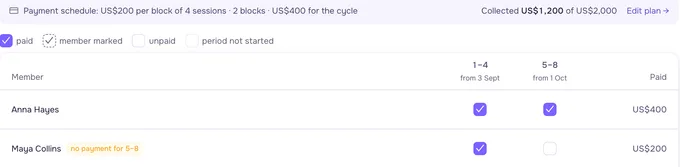
Attendance and payments
Record session attendance and track group members' payments.
Work with a co-leader
Run a group together in a shared workspace.
A card is required for the Groups free trial.
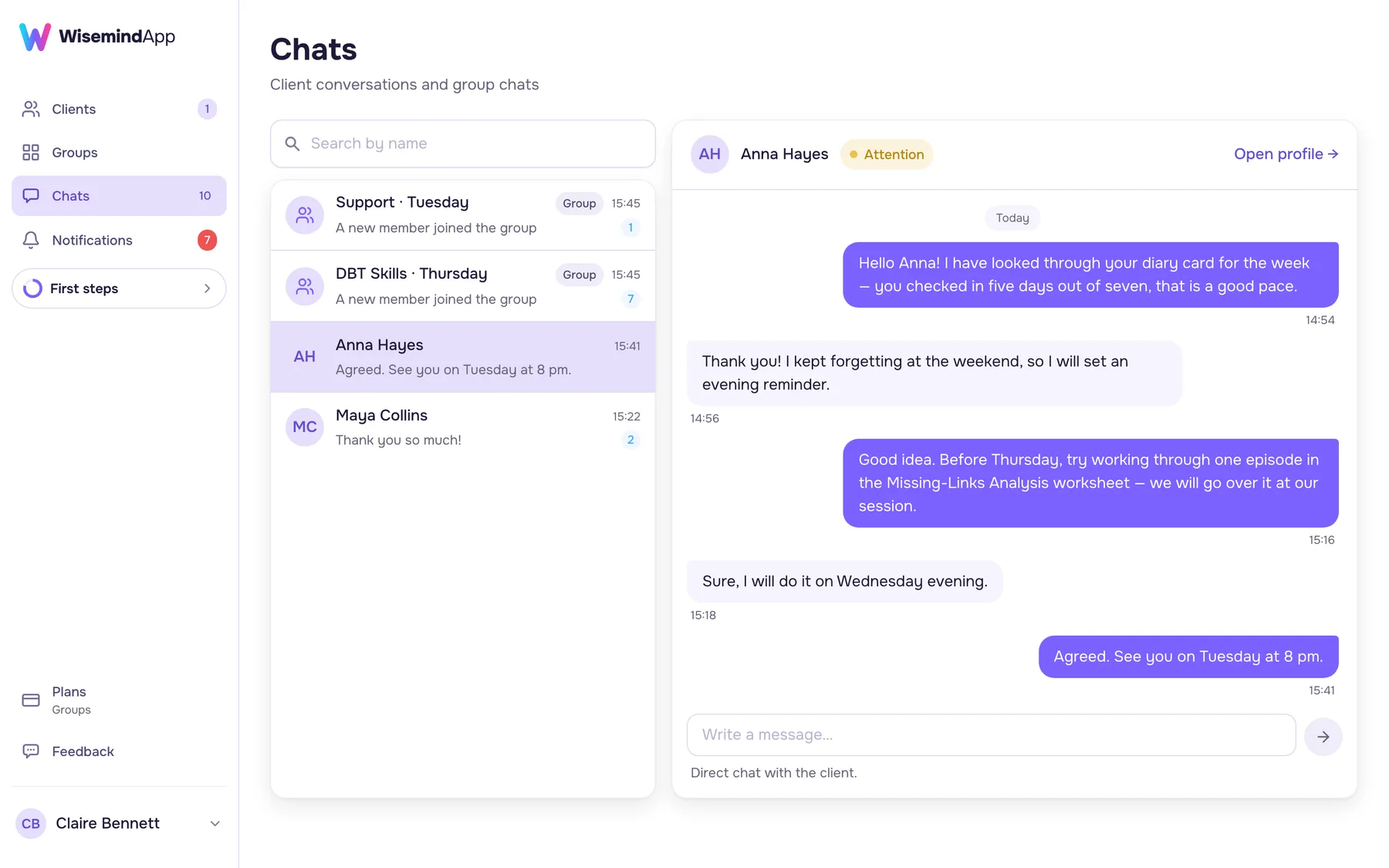
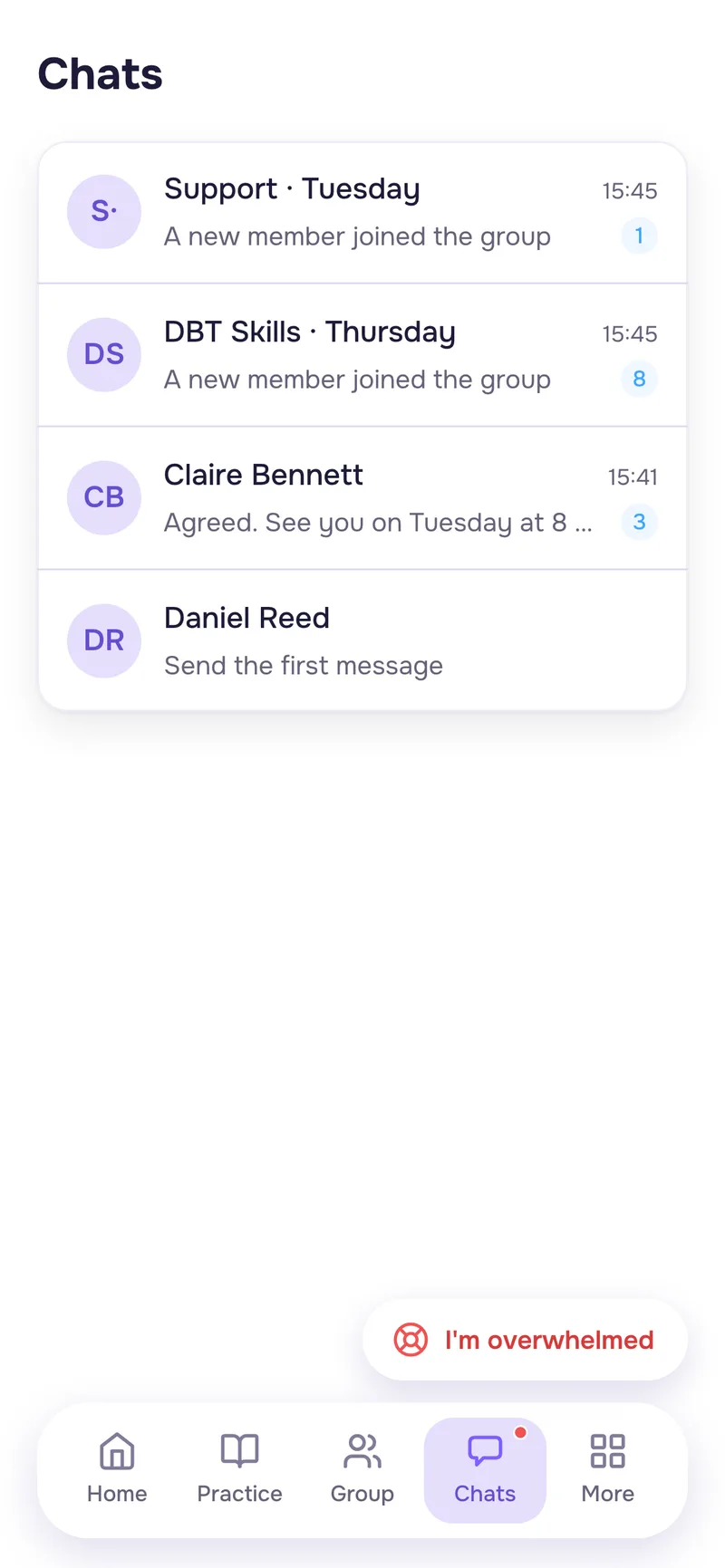
A built-in messenger for your practice
The app includes group chat and direct messages with clients. The messenger is in the same app as your homework and materials.
Group chat
Message group members, discuss sessions and answer shared questions.
Direct messages
Communicate with each client individually.
Your whole practice in one place
Messages, homework and materials in WisemindApp.
Find out promptly when a client is in crisis
Your client taps "I'm overwhelmed" to open their safety plan. From there, they can choose "Notify my clinician".
You receive an email, and a red banner appears in your client list.
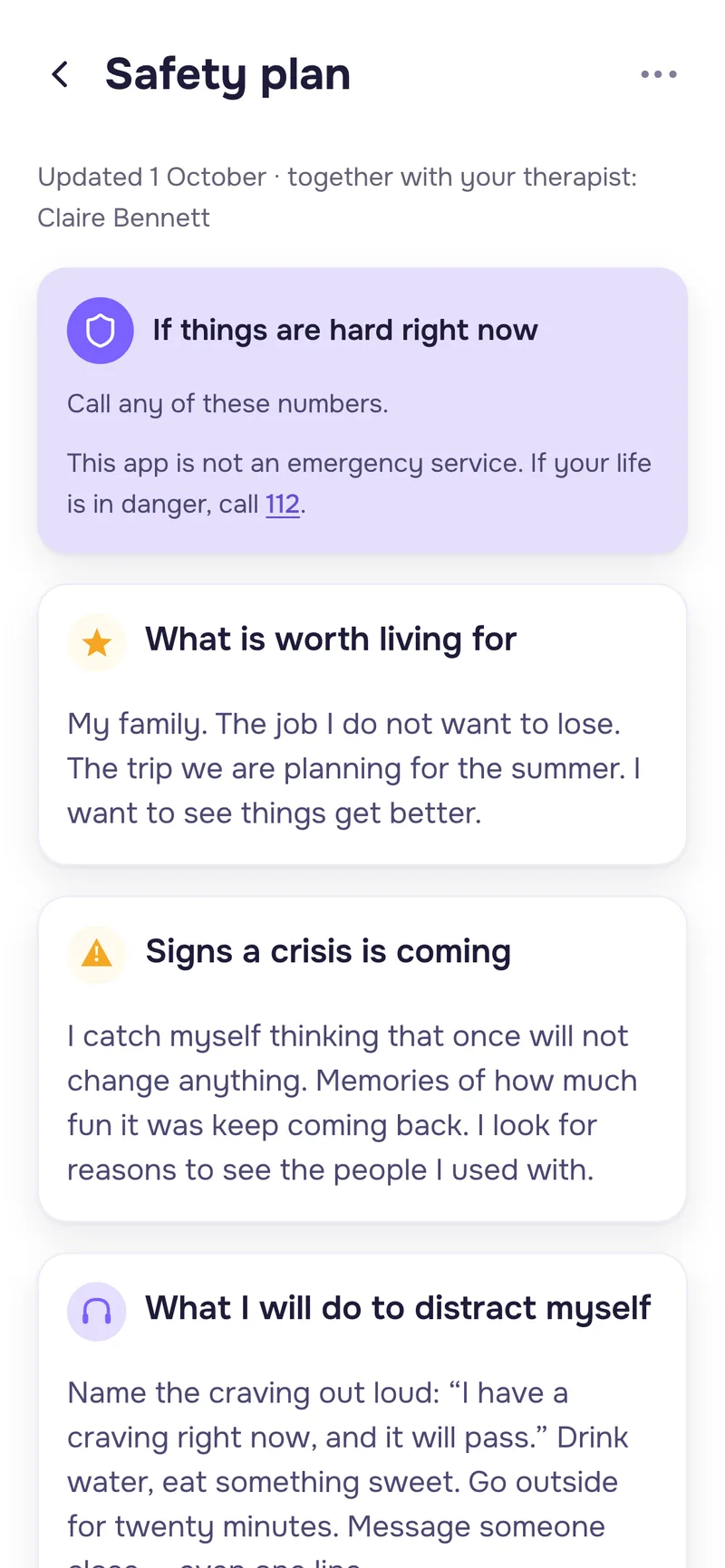


taps "I'm overwhelmed"
notifies their clinician
you see the alert in your dashboard
WisemindApp is not an emergency service and does not replace emergency care.
DBT tools ready to use
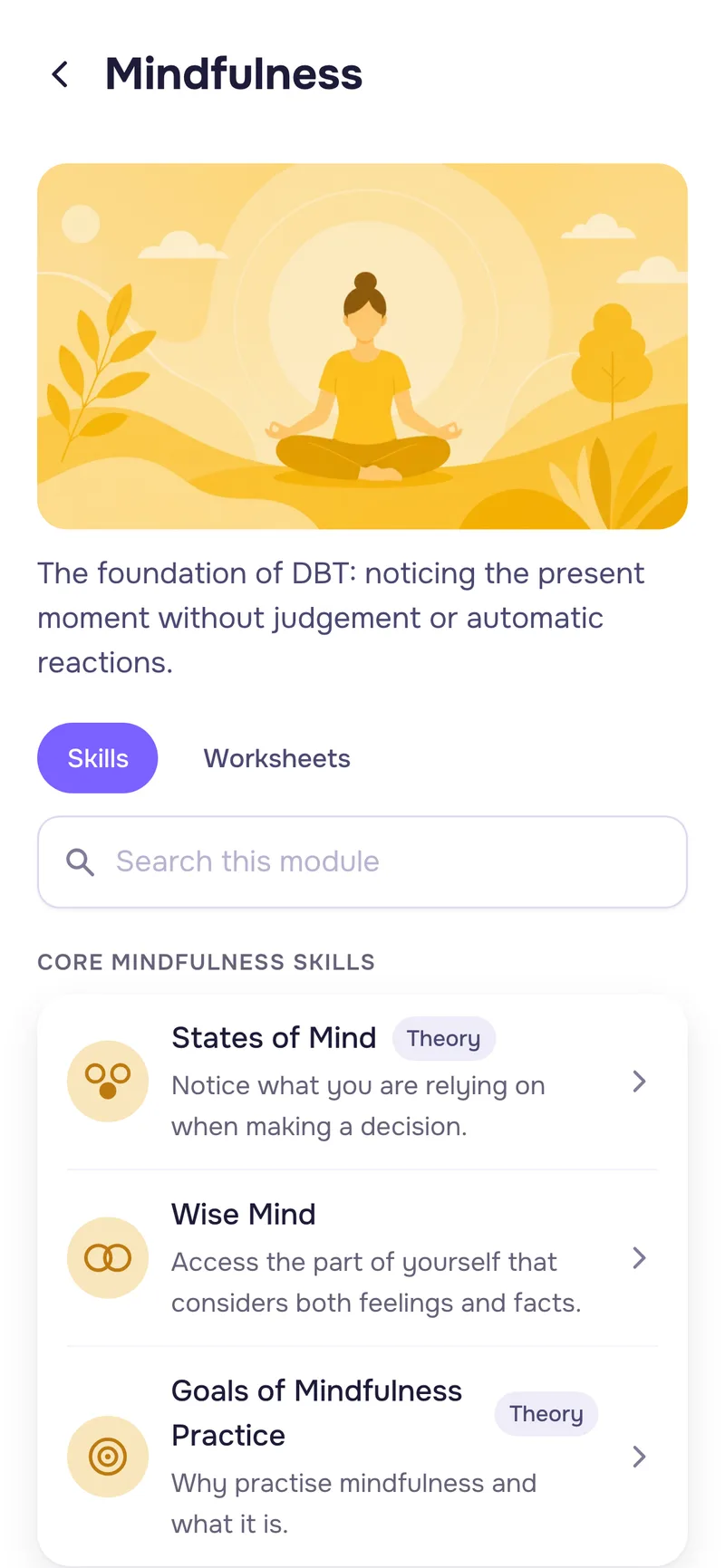
Mindfulness, distress tolerance, emotion regulation and interpersonal effectiveness.
Clients fill them in within the app, and you view the results you have access to.
One client, free with no time limit.
Choose a plan for the way you work
Starter
$0forever
Get started and work with one client.
- One client of your own
- Diary cards, worksheets and homework
- Direct messages
- Crisis alerts
- Co-lead others' groups
Practice
$29per month
$23 per month when billed yearly
Individual practice with unlimited clients.
- Unlimited clients
- All features for individual work
- Direct messages
- Crisis alerts
- Co-lead others' groups
Groups
$69per month
$55 per month when billed yearly
Skills training alongside individual work.
- Unlimited clients
- Up to five groups of your own
- Session planning and attendance
- Group homework and payment tracking
- Group chat and a co-leader
Your clients use WisemindApp for free
Co-leading others' groups is free and unlimited on every plan
What DBT clinicians say
Good DBT apps are hard to find, so I was really glad when WisemindApp came along. It's easy to use, with no clutter and clear wording. Reviewing diary cards is much easier now: I can follow changes across several measures at once.
Zoya Z.DBT therapist and skills trainerFor years, I tried to find a digital DBT diary card that was easy to fill in. The app makes it simpler: you send a link, connect with your client, and everything is there. No extra files to send. I can open the diary card on my computer with a client in session, or on my phone to check homework while I'm out.
Yulia E.DBT therapist and skills trainerOne client for free. No card required.
Frequently asked questions
Yes. Diary cards, worksheets, homework, direct messages and crisis alerts are available for individual work. You can start for free with one client.
No. Clients use WisemindApp for free. You need a paid plan if you want to work with more than one client of your own or create your own groups.
Yes. The Starter plan lets you work with one client of your own for free, with no time limit. A card is required for the 14-day Groups free trial.
You send an email invitation. Your client signs up for free and grants you access to the relevant personal records.
The client does. They can see who has access and revoke it.
WisemindApp includes group chat and direct messages with clients. You can communicate within the app.
Yes. The Groups plan includes up to five groups of your own.
Co-leaders can work in others' groups for free, without limits, on any plan. Creating your own groups requires the Groups plan.
When your client taps "I'm overwhelmed", they see their safety plan and the option to "Notify my clinician". If they choose to notify you, you receive an email. A red banner indicating the client's crisis appears in your dashboard's client list. Any follow-up contact takes place according to your agreement with the client.
The Android app is already on Google Play. WisemindApp also runs right in your browser on computers and phones, and on your phone you can add it to your home screen. An App Store version is on the way.
Your data is not deleted. Access to client and group features is limited by the terms of your available plan. Direct messages and crisis alerts continue to work.
Who builds WisemindApp
We're building WisemindApp to reduce the time DBT clinicians spend on admin. We bring materials, homework, communication and group management into one app, designed around individual practice and skills training.
Ksenya
DBT-informed psychologist

Stanislav
Product manager
Questions and suggestions:
[email protected]
Try it for free with one client
Invite one client, assign a worksheet and view their completed work in their profile.
free for clients